7 cloud PBX features every business phone system must have
When it's time to choose a cloud PBX, most decision-makers start by comparing prices. That's...



Your sales rep just ended a 12-minute call with a hot prospect. Before moving on, they need to open the CRM, find the contact, log the call, add notes, and update the lead status.
Five more minutes spent with every call, every day. The data confirms what sales managers already feel: according to the Salesforce State of Sales 2024, sales reps spend just 30% of their time actually selling.
The remaining 70% goes to data entry, admin tasks, internal meetings, and prospect research, confirmed by SPOTIO's 2026 report. In the same study, 67% of reps said they don't expect to hit their quota this year.
The root cause isn't a lack of effort. It's operational friction: CRM and phone systems running as two separate tools, with no data exchange, no shared context, and no automation.
When the two systems connect, that friction disappears. Reps answer already knowing who's calling. The call ends, and the log is already in the CRM. Managers get real pipeline visibility without relying on each rep's discipline to fill in fields manually.
In this article, you'll learn exactly how this integration works, which features make a real difference day-to-day, and what to look for before choosing a solution.
CRM and phone system integration links your cloud phone system (Cloud PBX) directly to your customer relationship management platform. In practice, the two systems exchange data automatically, eliminating manual entry and the need to switch between different screens.
When a customer calls, the CRM identifies the number and instantly brings up the complete contact profile on the rep’s screen—name, company, interaction history, and open proposals—before the call is even answered.
When a rep makes a call, a single click on the contact inside the CRM initiates the call. And when the call ends, the automatic call log is created in the CRM: date, time, duration, and extension are all documented without human intervention.
This automatic data exchange eliminates the primary cause of productivity loss in commercial teams: the repetitive administrative work that consumes 70% of the day.
Before discussing the benefits, it's worth looking at what your company is losing today without this integration.
According to EverReady, sourcing data from HubSpot, 32% of sales reps spend more than an hour a day on manual data entry alone, and sales and marketing departments lose around 550 hours per year due to insufficient or incorrect data.
These are hours that could be invested in customer conversations, active prospecting, and closing deals.
The impact goes beyond productivity: 85% of sales professionals admit to having lost deals because of incorrect CRM data (EverReady). Reps who have to log everything manually end up not logging it; calls go unrecorded, leads disappear from the funnel, and managers lose pipeline visibility.
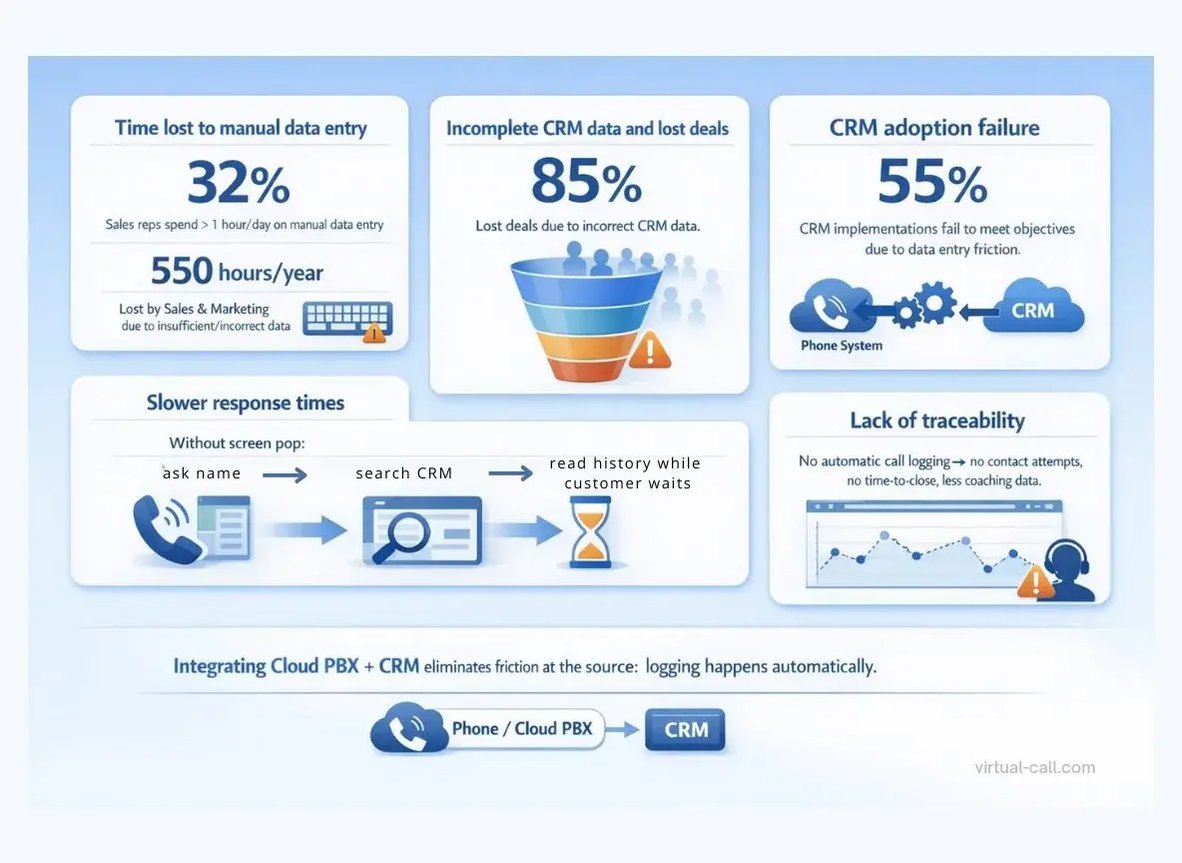
According to Wave Connect (2026), 55% of CRM implementations fail to meet their objectives for exactly this reason: friction in data entry. Integrating your phone system eliminates that friction at the source because logging happens automatically.
Without a screen pop, a rep receiving a call has to ask for the customer's name, find the profile in the CRM, and read through the history while the customer waits.
This delay compromises the experience and can cost deals, especially in competitive markets where the first to respond wins.
Without automatic call logging, it's impossible to know how many contact attempts were made with each lead, what the average time between first contact and close is, or which rep needs coaching. Management decisions end up based on gut feeling, not data.
Market data reinforces this point. A study by Nucleus Research shows that organizations that use their CRM effectively typically see higher sales and productivity, with an average return of about US$5.60 to US$8.71 for every dollar invested, depending on the level of adoption and integration.
The same trend is reflected in adoption rates: 91% of companies with more than 10 employees already rely on a CRM system.
But these results depend on one condition: the CRM needs to be fed with reliable, up-to-date data. And that's exactly where most companies stumble because they rely on manual input from their reps.
Integrating your cloud phone system solves this bottleneck. The system feeds the CRM automatically after every call, ensuring data is always complete, accurate, and available in real time. The rep focuses on the conversation; the technology handles the rest.
In the next section, we will look at six key features of CRM and phone system integration that have the greatest impact on day-to-day sales operations.
You will see how capabilities like Click-to-Call, live screen pops, automatic call logging, automatic contact creation, unified lead management, and call recordings linked directly to the CRM streamline workflows, remove manual tasks, and give your team the visibility and control it needs to focus on selling.
Manual dialing becomes unnecessary. With Click-to-Call embedded in the CRM, the rep simply clicks the contact’s phone number in the CRM interface, and the call is placed automatically via the cloud PBX.
This reduces dialing errors and increases the speed of prospecting, which is especially valuable in high-volume campaigns where every second between calls has an impact.
When a customer calls, a pop-up window appears on the screen showing the full profile: name, company, role, last interaction, open proposals, and previous notes.
The rep answers, already knowing who they're speaking to and what the context is, without asking the customer to repeat themselves. This turns every call into a natural continuation of the conversation, not a fresh start.
Every inbound, outbound, or missed call is automatically recorded in the CRM with the date, time, duration, and extension. This removes the need for manual call logging and provides managers with complete visibility into team activity without depending on each rep’s individual discipline.
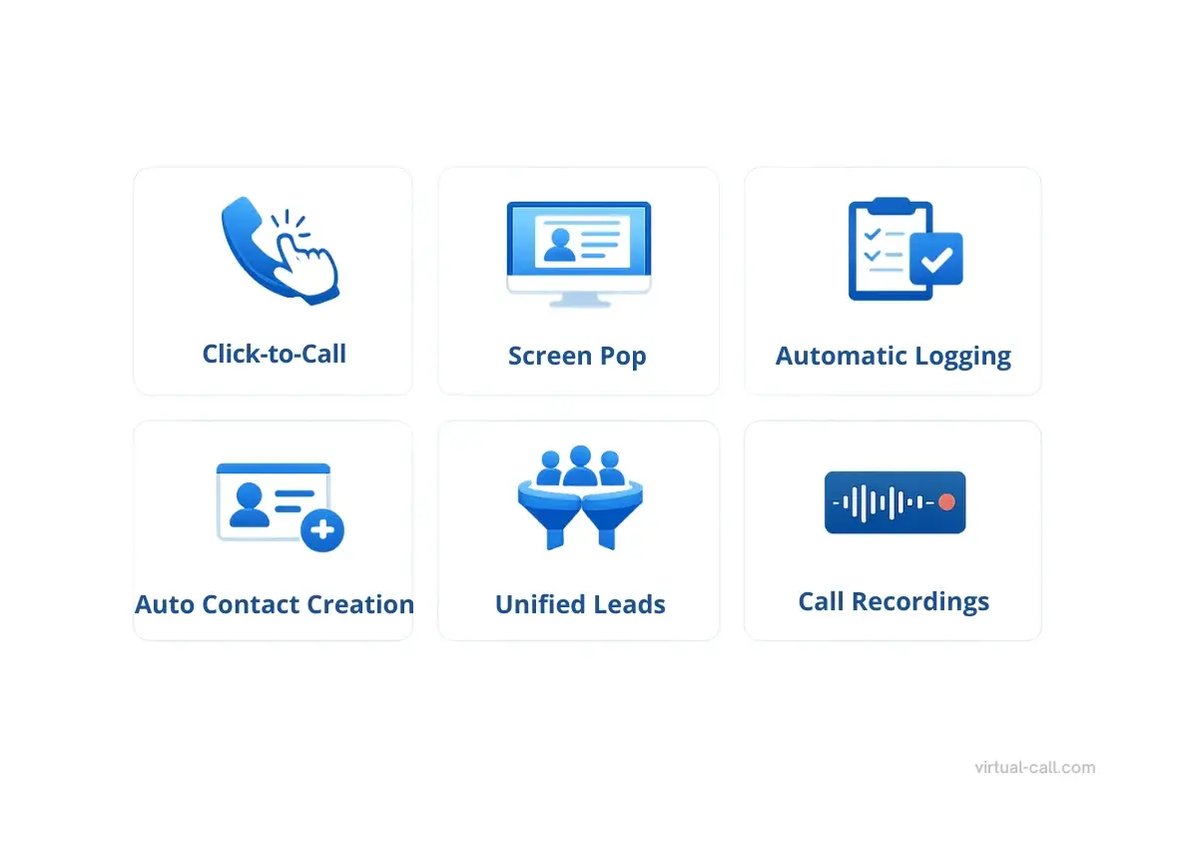
Received a call from an unknown number? The system automatically creates a new contact in the CRM with the available information. The rep completes the profile during or after the call, with no risk of losing the lead through oversight.
With all interactions centralised—calls, emails, and messages—the rep has a single view of the customer. No need to switch between systems to understand where a negotiation stands. The sales funnel becomes clearer, and follow-ups happen at the right time.
Recordings are attached to the contact record in the CRM. This allows managers to review conversations for coaching, reps to revisit details from complex negotiations, and the company to maintain records for GDPR compliance. It's not a separate feature; it's part of the customer's history.
Does your commercial team recognize itself in this scenario?
Find out what it costs to integrate CRM and your cloud phone system in your operation. Request a quote, no commitment required.
The flexibility of integration depends on the cloud telephony provider. Virtual-Call's cloud phone system offers ready-made integrations with the most widely used platforms:
|
CRM |
Integration |
|
Salesforce |
✅ Ready |
|
HubSpot |
✅ Ready |
|
Zoho CRM |
✅ Ready |
|
Bitrix24 |
✅ Ready |
|
Odoo |
✅ Ready |
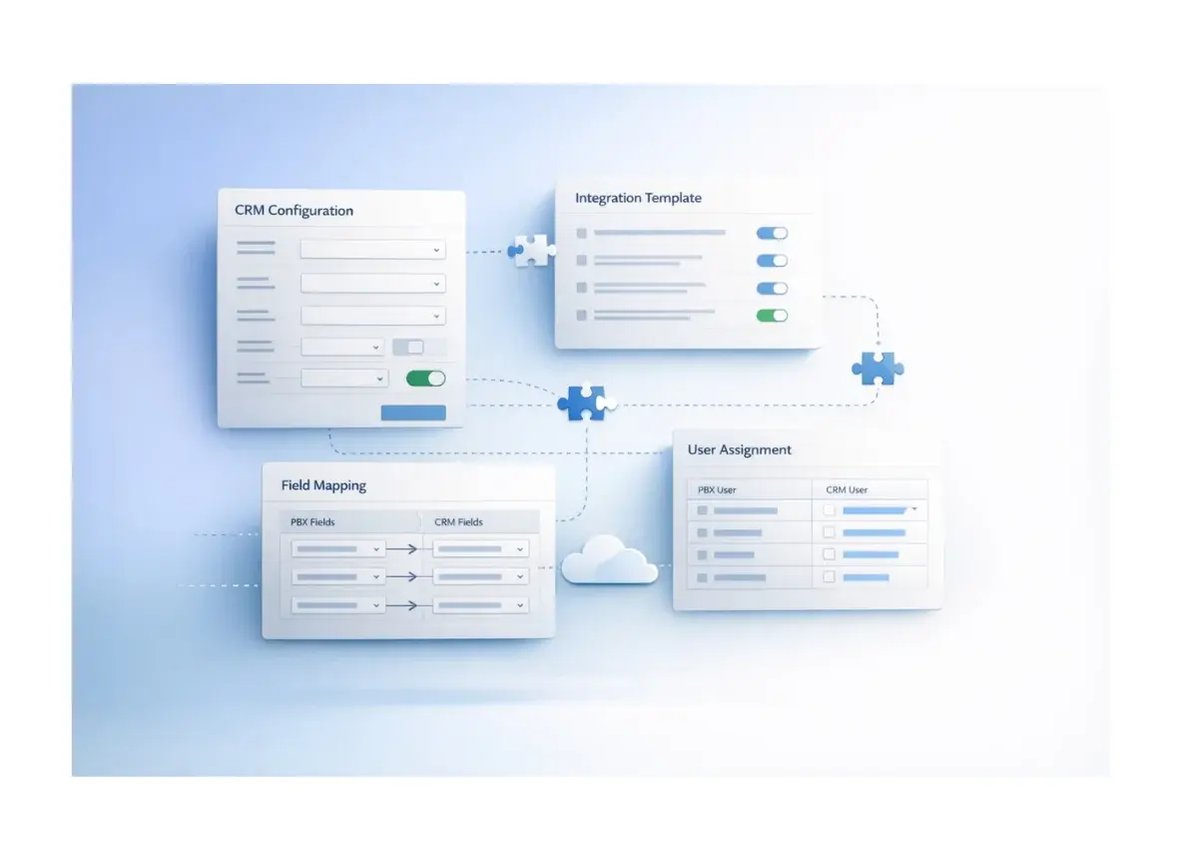
Using a proprietary or less common CRM? Virtual-Call's cloud PBX offers a customizable integration template that lets you connect virtually any platform without complex development. Configuration is done through an intuitive interface—no code, no IT team required.
Consider the daily routine of Mark, a sales rep at a B2B technology company that handles an average of 40 calls per day.
Mark receives a call. He doesn't know who it is.
He asks for the name and company. Opens the CRM. Searches for the contact.
Finds the profile. Skims the history while the customer waits.
Has an 8-minute conversation. Hangs up.
Goes back to the CRM. Tries to remember the key points. Logs the call manually.
Time spent outside the conversation: ~5 minutes per call.
Mark receives a call, and a screen pop immediately displays: “Sarah Chen, TechCorp Global, proposal sent on 02/04, awaiting director approval.”
Mark answers with context. Has an 8-minute conversation.
Hangs up. The call log is already in the CRM automatically.
Time spent outside the conversation: 0 minutes.
Saving 5 minutes per call, multiplied by 40 daily calls, recovers 3 hours and 20 minutes per day. Over a 22-day working month, that's 73 hours per rep returned to revenue-generating activities based on these volume assumptions.
For a team of 5 reps, that equals 365 hours per month, the equivalent of more than 2 full-time employees with no additional headcount.
Not every CRM phone integration delivers the same level of completeness. In the market, it's common to find providers that charge separately for basic features, support only one or two CRMs, or restrict functionality to higher-tier plans. Before choosing a solution, evaluate:
Ready-made integrations: Does the provider natively support the CRM your company already uses?
Custom template: If your CRM isn't on the list, can you create a custom integration without a developer dependency?
Included features: Are click-to-call, screen pop, automatic logging, and contact creation all included in the plan or charged separately?
Real-time monitoring: Does the system offer a dashboard with call center performance metrics (average handling time, missed calls, SLA)?
User experience: Does the integration work directly in the browser or mobile app, or does it require complex plugins?
GDPR compliance: Are call data and recordings stored with end-to-end encryption and clear retention policies?
Multilingual support: Does the provider offer implementation support and team training in English?
Virtual-Call's Cloud PBX offers native integration with the leading CRMs: Salesforce, HubSpot, Zoho, Bitrix24, and Odoo on Enterprise and Ultimate plans, with no additional cost per extension.
For companies with proprietary or less common CRMs, the customizable integration template connects any platform through an intuitive interface, without code.
All integration features are included: Click-to-Call, live screen pop, automatic call logging, contact creation, and bidirectional data sync.
Beyond CRM integration, Virtual-Call includes advanced call center features that complement your commercial strategy:
Wallboard with 17 real-time performance metrics (average handling time, SLA, calls in queue, available agents, and more).
8 advanced performance reports by agent and by queue.
Skill-based routing to direct each call to the most suitable rep.
Real-time coaching with whisper, silent monitoring, and call intervention.
Post-call satisfaction surveys with consolidated reports.
Linkus Softphone app for iOS, Android, Windows, and Mac with all integration features active on any device.
The infrastructure runs on redundant data centers with end-to-end encryption, fully compliant with GDPR. Technical support 24/7 in English, Portuguese, and German with SLA plans for companies that require priority and assisted service.
Request a personalised quote
Discover how Virtual-Call's Cloud PBX can transform your sales team's productivity with native integration to the leading CRMs, advanced features included, and 24/7 technical support. Request your quote now.
No. The integration works with the most popular CRMs on the market. If your CRM isn't on the ready-made list, you can use the customizable template to create the connection without any development work.
Yes. The Linkus Softphone app lets reps make and receive calls with all integration features active directly from their phone, ideal for field teams, reps on the go, or remote workers.
Yes. Recordings are linked to the contact record, allowing managers and reps to revisit conversations at any time for coaching or deal documentation purposes.
For CRMs with ready-made integrations, configuration takes minutes through an intuitive web interface. For custom template integrations, the time depends on complexity, but no programming is required.
Yes. Virtual-Call operates with end-to-end encryption, redundant data centers compliant with GDPR, and clear data retention and deletion policies.
No. CRM integration is included in Virtual-Call's Enterprise and Ultimate plans, with no additional charge per extension or integration feature.
They're complementary features. Voicemail-to-email delivers the audio to your inbox. CRM phone integration automatically logs every call made, received, or missed to the customer's record with complete data. It's a much deeper level of automation that directly impacts productivity.
Professional cloud PBX solutions operate with redundant data centers and automatic failover mechanisms. Virtual-Call's cloud infrastructure guarantees 99.9% availability with geographic redundancy.
If this article was useful, you might also be interested in:
Sources cited in this article:
We connect you to the world! 🌍